Please Scroll Down to See Forums Below
napsgear
genezapharmateuticals
domestic-supply
puritysourcelabs
UGL OZ
UGFREAK
napsgeargenezapharmateuticals domestic-supplypuritysourcelabsUGL OZUGFREAK

help posting pics

nycdiesel

New member
hey...i was wondering if anyone could please tell me how to post pics that i have saved from a cd to my computer? im having alot of trouble doing it
 
Use a free image hosting site such as:

www.photobucket.com
www.tinypic.com

Upload your pics to there and then link to them by placing
tags around the url of the image that you wish to be displayed within your post here at EF.

Then sit back and watch the fun as people CHOP your pics to bits.

:D
 
c00per said:
Use a free image hosting site such as:

www.photobucket.com
www.tinypic.com

Upload your pics to there and then link to them by placing
tags around the url
of the image that you wish to be displayed within your post here at EF.

Then sit back and watch the fun as people CHOP your pics to bits.

:D

This is the part I don't get???????
 
c00per said:
You use the
tags around the url of your image so that the actual image will display within your posting. Without the tags, viewers will simply see the url of the image and will have to click the link to view the image.

With
tags:

thumbsup_emot.gif


Without
tags:

http://i70.photobucket.com/albums/i109/xx_c00per/emoticons/thumbsup_emot.gif


I believe the tags are only available to PLAT members.
[B]If you are not Plat, then you will see the above examples as just two clickable links.[/B][/QUOTE]

Yep, that's all I see....

Do I scroll down to Additional Options "post a pic or attach files", click in the upload pics and files box, then somehow (haven't figured out how) enter the photobucket link???? I'm sure this isn't that tuff. I am somewhat computer savvy....

 
katdav said:
Yep, that's all I see....

Do I scroll down to Additional Options "post a pic or attach files", click in the upload pics and files box, then somehow (haven't figured out how) enter the photobucket link???? I'm sure this isn't that tuff. I am somewhat computer savvy....


If you have uploaded your pics to photobucket, then you will see 3 lines of code directly under each image.

URL: for creating a link directly to the image
TAG: for creating a hyperlink to the image when text (for example) is clicked
IMG: for embedding an image directly into a page or posting

Just copy all of the code in the box next to IMG and paste it directly into your posting. For users who are PLAT, they will see the image in your posting. For non-Plat users, they will see the clickable link to your image.

If you attach an image to your posting via EF, then I believe the full sized version will only be viewable to PLAT members and will be displayed as a thumbnail under your posting.

Just use the IMG link which photobucket provides you if you want all users to view your pics.
 
IMG]http://i147.photobucket.com/albums/r320/nycdiesel_2006/pic1-1.jpg[/IMG]

11_21A.jpg


pic2.jpg


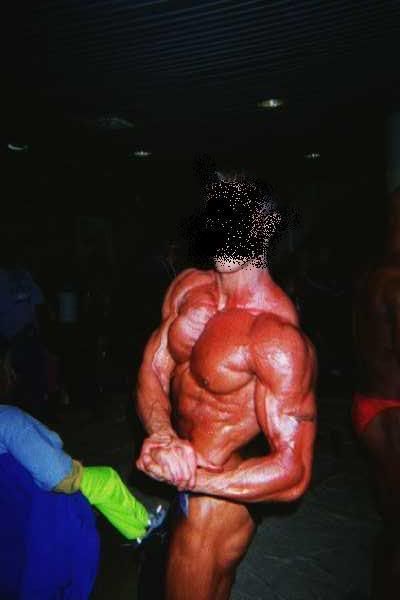
ok...there are 3 pics i attemted to post.....if it didnt work can please someone tell me what i did wrong...if i did it correctley i guess u can Chop away!!
 
Top Bottom