Please Scroll Down to See Forums Below

napsgear
genezapharmateuticals
domestic-supply
puritysourcelabs
UGL OZ
UGFREAK
napsgeargenezapharmateuticals domestic-supplypuritysourcelabsUGL OZUGFREAK

Computer Jocks, Need Serious Help

Raptorex

New member
I vacuumed my computer and when I rebooted only the fan's went on (no BIOS beep), then a few hours later, Fan's won't go on either. I do have a green light lit on the front and on the mother board.

I need the most logical steps which will get me to a solution before spending on things I wont' need?

Thanks.
 
please tell me your computer was unplugged when you cleaned it?
clean it again and check all the internal connections. you may have knocked something loose.
 
you prob. adjar'd something just fiddle around with all the little plugs and shit on the inside and see if it helps..
 
CompUSA tech is an idiot...

Went there after taking out my power supply and showing him, asked for a match replacement...got home, wrong size connector to the MOBO...this blows.
 
mightymouse69 said:
CompUSA tech is an idiot...

Went there after taking out my power supply and showing him, asked for a match replacement...got home, wrong size connector to the MOBO...this blows.

is it a 20 or 24 pin? too big or too small?
 
Ok, I was able to clip off the 4 pins so its a 20 fit...so I'm good there.

Anyhow, I think my issue is that I unplugged the CPU and when I pressed it back in I have bent some pins? would that cause a complete lack of turning on? Can I get this to work.

Thanks UA
 
mightymouse69 said:
Ok, I was able to clip off the 4 pins so its a 20 fit...so I'm good there.

Anyhow, I think my issue is that I unplugged the CPU and when I pressed it back in I have bent some pins? would that cause a complete lack of turning on? Can I get this to work.

Thanks UA

what kind of CPU is it? AMD or intel? What socket?

You will need a thermal paste if you take the cpu out and put it back in when you reinstall the heatsink.
 
mightymouse69 said:
Ok, I was able to clip off the 4 pins so its a 20 fit...so I'm good there.

Anyhow, I think my issue is that I unplugged the CPU and when I pressed it back in I have bent some pins? would that cause a complete lack of turning on? Can I get this to work.

Thanks UA
you can get it to work IF you unbend the pins. they each have a purpose; they're not just there to anchor it down. also, the pins are aligned so the cpu can only go in one way
 
Dial_tone said:
you can get it to work IF you unbend the pins. they each have a purpose; they're not just there to anchor it down. also, the pins are aligned so the cpu can only go in one way

Thanks DT and Nick,

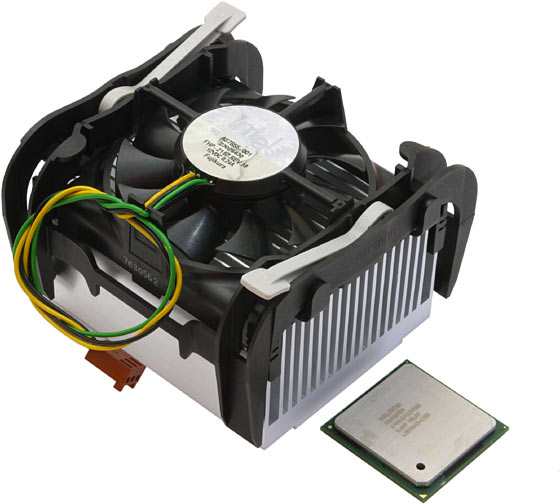
Here is the situation, my CPU is stuck to the bottom of the heatsink, I am googling this and have found many cases of this. Once I separate it, I will look for any bent pins and try to get them strait and then install.

Yes, this sucks.
Thanks

Here is a pic of the exact unit.

p4560.jpg
 
clean off the top of the processor and bottom of the heatsink with alcohol

you will need to apply new thermal compound - call around and see which places have Arctic 5 thermal compound - its the best for transfering heat from the processor to the heat sink.

make sure that the lever arm is open on the processor mating pinhole-board. once its seated right, close it, apply thermal compound (a little more than a rice grain size), then push the heatsink down while slightly rotating it to add pressure. This will make sure the compound dissipates and covers more surface area.

If this does not work, try taking out a memory stick - if it doesnt boot, try the other memory stick.
 
Did everything (except the thermal compound) just to see if I get it to respond, locked it down attached fan...have bought a new power supply, plugged in and nothing...green light only in front, and a green light on the mobo lit. No fans are turning either on the PS or the CPU or rear. It's an 865GBF for certain. Shit.

How hard is it for me to replace a mobo/cpu, can I buy them pre-assembled and put it in or does it take an expert. My hard drive has all my financials..and I'm not giving it to my repair shop. They were busted by microsoft (its on their site) for counterfeiting XP...lol.

Need advice.

UA_Iron said:
clean off the top of the processor and bottom of the heatsink with alcohol

you will need to apply new thermal compound - call around and see which places have Arctic 5 thermal compound - its the best for transfering heat from the processor to the heat sink.

make sure that the lever arm is open on the processor mating pinhole-board. once its seated right, close it, apply thermal compound (a little more than a rice grain size), then push the heatsink down while slightly rotating it to add pressure. This will make sure the compound dissipates and covers more surface area.

If this does not work, try taking out a memory stick - if it doesnt boot, try the other memory stick.
 
mightymouse69 said:
Did everything (except the thermal compound) just to see if I get it to respond, locked it down attached fan...have bought a new power supply, plugged in and nothing...green light only in front, and a green light on the mobo lit. No fans are turning either on the PS or the CPU or rear. It's an 865GBF for certain. Shit.

How hard is it for me to replace a mobo/cpu, can I buy them pre-assembled and put it in or does it take an expert. My hard drive has all my financials..and I'm not giving it to my repair shop. They were busted by microsoft (its on their site) for counterfeiting XP...lol.

Need advice.

did you try the ram thing? A stick of ram may have gone bad.
 
there's no reason to detach the cpu from the fan unless the fan has died and you're replacing it.
 
Dial_tone said:
there's no reason to detach the cpu from the fan unless the fan has died and you're replacing it.

the cpu shouldnt have come off with the fan. How would he physically be able to open the locking lever with the fan/heatsink in the way?
 
Yea, I know - I have no idea how it came out (maybe too much force) however there are enough cases I have found via google to suggest its not uncommon.

I'll do the memory thing tomorrow and report back, I'm fried.
Thanks guys.
 
Top Bottom